
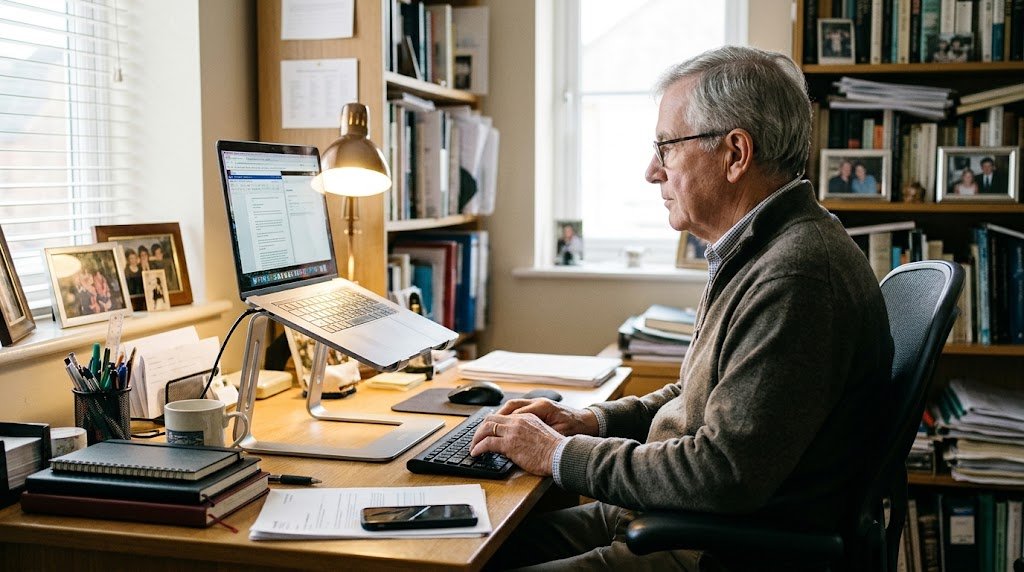
Comfortable desk setups for older people do not need special furniture or a big budget. This guide is for anyone who gets a stiff neck, sore wrists or aching legs after time at the computer. It is also for families who want to help a parent or grandparent get comfortable.
We cover four low cost items that make a real difference, plus free changes you can make today. Together, the four items cost roughly £90 to £130.
Quick comparison
| Product | Best for | Rough price |
|---|---|---|
| Nulaxy laptop stand | Raising a laptop screen | Around £16 to £25 |
| Logitech MK270 | Typing at a normal desk | Around £20 to £35 |
| Anker vertical mouse | Sore wrists or hands | Around £15 to £23 |
| Fellowes Office Suites footrest | Feet that do not reach the floor | Around £38 to £47 |
Why desk setups for older people matter
Many of us hunch over a laptop on the kitchen table. However, that position strains the neck, shoulders and lower back. As a result, a short email session can leave you aching for the rest of the day.
The good news is that small changes help. In fact, the aim is simple: screen at eye level, arms relaxed and feet flat.
Free fixes for desk setups for older people
Before you spend anything, try these quick fixes. Also, ask a family member to watch you sit for a minute, because posture is hard to judge yourself.
- Sit right back in your chair, with your lower back supported.
- Put the top of the screen roughly level with your eyes.
- Keep the screen about an arm’s length away.
- Rest your forearms on the desk, with relaxed shoulders.
- Get up and move about every half an hour or so.
If small text makes you lean forward, increase the text size on your computer. For printed letters and bills, our guide to magnifiers for poor eyesight may help too.
The best low cost desk setups for older people
These four items work well together, but each one helps on its own. So start with whatever bothers you most.
Nulaxy laptop stand
A laptop screen sits too low, so you end up looking down for hours. The Nulaxy laptop stand lifts the screen closer to eye level. It has a sturdy aluminium frame and suits most laptops from 10 to 16 inches.
Once the laptop is up high, you need a separate keyboard and mouse. So pair this stand with the next two items.
Best for: anyone who uses a laptop every day. Expect to pay around £16 to £25.
Logitech MK270 wireless keyboard and mouse
The Logitech MK270 is a full size wireless keyboard and mouse set. It has a number pad, handy shortcut keys and a spill resistant design. Also, it connects through one tiny plug, so there is nothing to pair.
Batteries last a long time, with Logitech quoting up to three years for the keyboard. That means fewer jobs to remember.
Best for: typing comfortably with a laptop on a stand, or replacing an old keyboard. Expect to pay around £20 to £35.
Anker vertical mouse
A normal mouse twists your wrist flat against the desk. By contrast, the Anker vertical mouse lets you hold your hand in a handshake position. If your wrists ache, this position may feel much more comfortable.
It takes a day or two to get used to. However, it is one of the cheapest upgrades in desk setups for older people.
Best for: sore wrists or hands. Expect to pay around £15 to £23.
Fellowes Office Suites footrest
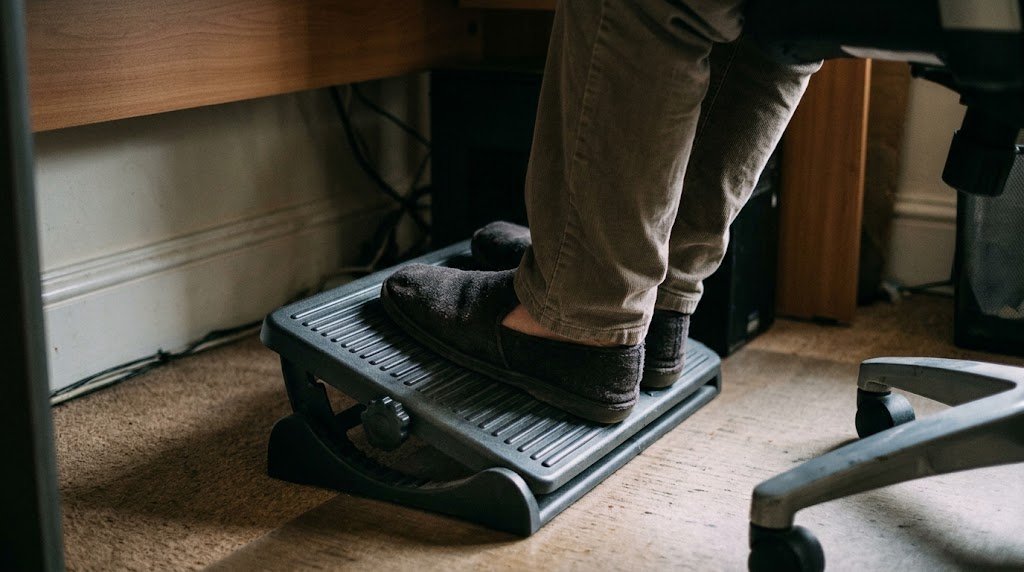
If your feet dangle or only your toes touch the floor, your legs and back take the strain. The Fellowes Office Suites footrest gives your feet a firm, tilted platform. You can set it to three heights, and it comes with a five year warranty.
On the other hand, it costs more than the other items here. A firm box or a thick book works as a free test first.
Best for: shorter people, or anyone whose chair is too high for the desk. Expect to pay around £38 to £47.
Good light and less glare
In desk setups for older people, good light helps you see the screen without leaning in. So put your desk side on to a window, rather than facing it or with it behind you. That way, you avoid glare on the screen and squinting into bright light.
Also, add a desk lamp for evenings and dull days, and point it at your papers rather than the screen. In addition, match the screen brightness to the room, because a very bright screen in a dim room tires the eyes.
What about the chair?
In most desk setups for older people, the chair matters most of all. However, you may not need a new one. For example, a firm dining chair with a cushion behind your lower back often works well.
If you do buy a desk chair, look for arms, a height lever and a backrest that supports your lower back.
For relaxing away from the desk, our guide to affordable electric reclining chairs covers chairs that help you stand up too.
Planning desk setups for older people
- Measure your desk height and your chair height first.
- Check your laptop size, so the stand fits it.
- Buy one item at a time and see what helps.
- Ask for help with setting up, especially with batteries and plugs.
If you are still choosing a computer, our guide to the best simple laptops under £400 is a good place to start. Also, speak to your GP if aches carry on after you change your setup.
In short, comfortable desk setups for older people come down to a raised screen, relaxed arms and supported feet. Start with the free changes, then add the item that fixes your biggest ache. That way, you only spend money where it makes a difference.